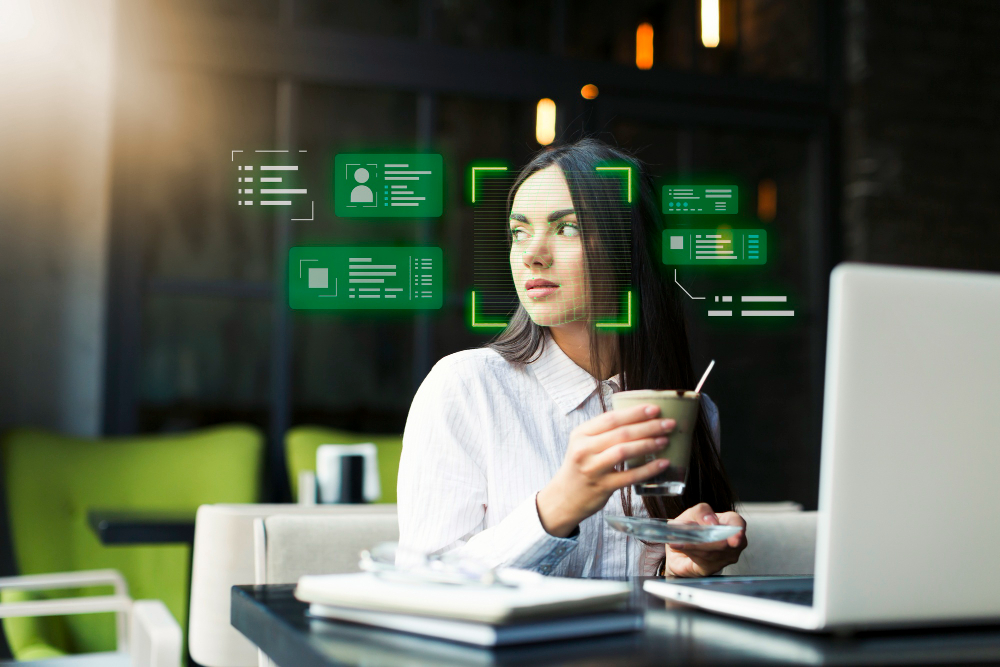
What Is Optical Character Recognition (OCR)?

Billions of documents exist only on paper or as image files right now. Invoices, contracts, medical records, resumes, legal forms. None of that information is searchable or usable by any system until someone reads it. OCR is the technology that fixes this. It converts physical and image-based documents into digital text that computers can read, search, and act on.
What AI has changed
Traditional OCR was good at reading clean, printed documents. It struggled with everything else. AI has changed that significantly.
- Modern AI OCR uses neural networks to read context, not just characters. It knows "Java" is a programming language. It recognises that a multi-column invoice has structured fields worth extracting, not just raw text worth copying.
- Leading AI OCR systems now achieve over 95% character recognition accuracy on clean printed text, per the DeltOCR benchmark from AIM Research 2026. On complex real-world scans, handwriting, and low-quality images, accuracy typically falls to 60 to 75%.
- Deep learning model usage in OCR rose 40% between 2022 and 2024. The global OCR market grew from USD 19.15 billion in 2025 to USD 22.21 billion in 2026 and is projected to reach USD 60.04 billion by 2032.
- Modern AI OCR handles documents in 23+ languages, reads handwriting with far greater accuracy than older systems, and processes tables and mixed layouts that rule-based systems couldn't handle at all.
Where it runs in the real world
- In recruiting, OCR is the invisible foundation layer under every AI screening tool. When a candidate uploads a PDF resume, OCR converts it into readable text first. Without that step, AI-powered candidate matching can't happen. It's what turns your document pile into structured, searchable data.
- In banking and financial services, which holds 21% of the global OCR market, it handles KYC verification, loan processing, and compliance documentation. Financial institutions using OCR have accelerated loan approvals by 50 to 70%.
- In healthcare, OCR converts handwritten physician notes into searchable electronic records and automates insurance claim processing. Healthcare providers using it have cut claim processing time by up to 80%.
- Over 90% of large enterprises have now integrated OCR into their digital workflows, mostly in document management and automation.
Where it still falls short
- Handwriting and cursive text remain the primary active research challenge. Modern tools are significantly better than they were, but not yet as reliable as a human reader on complex scripts.
- Low-quality images drop accuracy sharply. Poor scan quality, damaged documents, and low-resolution captures all affect results significantly.
- Any OCR system processing personal data — names, financial records, medical information — must comply with GDPR, HIPAA, and applicable local regulations. This isn't optional, and it varies by geography.
The one thing worth remembering
OCR is not a new technology. What's new is what AI has made it capable of. It went from reading clean printed text to processing complex real-world documents across dozens of languages and layouts. For hiring teams specifically, it's the starting point for everything that follows — candidate data can't be searched, matched, or acted on until it's been read. OCR is what makes that possible.
Every day, billions of documents exist only on paper or as image files, such as invoices, contracts, medical records, resumes, and legal forms. None of that information is searchable. It can be edited, analysed, or fed into a system without someone manually retyping it.
OCR fixes that. Optical Character Recognition (OCR) converts physical and image-based documents into digital text that computers can read, search, and process. It is one of the most widely used technologies in business today. In 2026, AI has made it significantly more powerful.
This guide explains how OCR works, where it is used, and what has changed in the last two years.
What Is OCR Technology?
OCR (Optical Character Recognition) is a technology that reads text from images or scanned documents and converts it into machine-readable, editable digital text.
It allows a computer to "read" a scanned invoice, a photographed form, or a PDF resume the same way a human would. And turn that content into data that can be searched, stored, edited, or analysed.
Before OCR, the only way to digitise a paper document was to type it out manually. OCR eliminated that.
OCR vs AI document processing compared
Let me know if you want fewer rows, different wording, or a shorter version for a callout box.
How OCR Technology Works: Step by Step
OCR turns an image into usable text through a series of steps. Here is the full process:
1. Image acquisition: The document is captured via scanner, camera, or mobile device. Image quality here directly affects accuracy downstream.
2. Preprocessing: The system cleans up the image before reading it. This includes:
- Converting to greyscale
- Correcting skew and orientation
- Removing background noise and distortions
3. Text detection: The software identifies where text exists in the image, separating it from graphics, whitespace, and other elements.
4. Character recognition: Each character is identified and matched against a database of known characters. Modern AI-powered OCR uses neural networks here, not just pattern matching.
5. Contextual understanding: AI-based systems read words and sentences in context, not just individual characters. This improves accuracy significantly on complex documents, technical jargon, and varied formatting.
6. Post-processing: The extracted text is cleaned up. Spell-checking, grammar context, and known terminology databases are used to correct misread characters.
7. Structured output: The final text is exported in a usable format: Word document, PDF, plain text, JSON, or directly into a database or application.
In 2026, leading AI OCR models achieve over 95% character recognition accuracy on the printed text DeltOCR benchmark, AIM Multiple Research, 2026.
What AI Has Changed About OCR in 2026
Traditional OCR was good at reading clean, printed documents. It struggled with everything else. AI has changed that significantly.
What do modern AI-powered OCRs do now?
- Read handwritten text with far greater accuracy than rule-based systems
- Handle complex layouts, tables, multi-column formats, mixed text and images
- Process documents in 23+ languages within the same system
- Understand context, distinguishing "Java" as a programming language versus a place name
- Extract structured data from unstructured documents, pulling specific fields from invoices or forms without templates
- Improve over time through continuous learning on new document types
The numbers reflect this shift
- Over 90% of large enterprises have now integrated OCR solutions into their digital workflows, particularly in document management and automation
- The global OCR market grew from USD 19.15 billion in 2025 to USD 22.21 billion in 2026, and is projected to reach USD 60.04 billion by 2032
- Usage of deep learning models in OCR rose by 40% between 2022 and 2024, driving accuracy improvements across all document types
AI has not replaced OCR. It has made OCR significantly more capable, expanding what documents it can read and what data it can extract.
Where OCR Is Used in 2026
OCR is not a single-industry tool. It runs across almost every sector that handles documents at volume.
1. Recruitment and HR
Recruiters use OCR as the first step in resume parsing. When a candidate uploads a PDF resume, OCR converts it into readable text. That text is then processed by AI to extract skills, job titles, education, and experience.
Without OCR, AI resume screening cannot work. It is the foundation layer.
- Converts PDF and image-based resumes into structured candidate data
- Enables searchable talent databases across thousands of applications
- Supports skills-based matching by making resume content machine-readable
2. Banking and Financial Services
BFSI leads OCR adoption with 21% market share, using it for KYC verification, loan processing, and compliance documentation. Banks process enormous volumes of paperwork daily. OCR automates:
- Cheque and invoice processing
- KYC document verification
- Loan application data extraction
- Regulatory compliance documentation
Financial institutions using OCR have accelerated loan approvals by 50–70%.
3. Healthcare
Patient records, prescriptions, insurance claims, and intake forms healthcare runs on paper, OCR digitises all of it.
- Converts handwritten physician notes into searchable electronic health records
- Automates insurance claim processing
- Speeds up patient registration and onboarding
- Supports compliance by making records auditable and retrievable
Healthcare providers using OCR have reduced claim processing time by up to 80%.
4. Legal
Legal teams deal with vast volumes of contracts, case files, and discovery documents. OCR makes all of it searchable.
- Converts physical case files into searchable digital archives
- Enables keyword search across thousands of legal documents
- Speeds up due diligence and contract review
- Reduces manual document review costs significantly
5. Government and Public Sector
By 2026, 80% of global companies are projected to adopt some form of document automation with OCR at the centre of most implementations.
Governments use OCR to:
- Process citizen forms and applications at scale
- Digitise national archives and historical records
- Automate permit and licence processing
- Support identity verification and border control systems
6. Retail and E-Commerce
OCR handles the document layer of retail operations:
- Extracts data from invoices and purchase orders automatically
- Reads shipping labels and customs forms
- Processes supplier contracts and compliance documents
- Supports returns processing and receipt verification
Limitations of OCR
OCR is powerful. It is not perfect. Understanding where it fails helps you implement it correctly.
Handwriting and cursive text: Modern OCR tools are still not as accurate as humans at processing handwritten and cursive text, particularly in less common scripts and fonts. This is the primary active research area in OCR development in 2026.
Low-quality images: Poor scan quality, damaged documents, and low-resolution images all significantly reduce accuracy. Average recognition accuracy on complex real-world scans still hovers around 60-75%, well below the 95%+ benchmark for clean printed documents.
Complex layouts: Multi-column formats, mixed text and images, and documents without a clear structure can confuse parsers, especially older rule-based OCR systems. AI-powered tools handle these better but are not perfect.
Language and script variation: While AI OCR now handles 23+ languages, accuracy varies significantly across scripts. Less common languages and regional fonts remain a challenge.
Data privacy and compliance: OCR systems process sensitive personal data, names, financial records, and medical information. Any OCR deployment must comply with GDPR, HIPAA, and other applicable data protection regulations in the geographies where it operates.
Conclusion
OCR is not a new technology. But in 2026, AI has made it dramatically more capable, expanding from simple text extraction to intelligent document processing across virtually every industry.
The global OCR market is projected to reach USD 60.04 billion by 2032, a reflection of how central document automation has become to how businesses operate.
For hiring teams specifically, OCR is the invisible layer that makes modern resume screening possible. Without it, AI-powered candidate matching cannot happen. It converts your document pile into structured, searchable data, and that is the starting point for everything that follows.
For technical and product roles where AI-powered sourcing, deep role briefing, and structured candidate evaluation matter as much as screening speed, Recrew offers outcome-based recruiting with no fee unless you hire.
FAQ
Q1. What is OCR in simple terms?
OCR stands for Optical Character Recognition. It is technology that reads text from images or scanned documents and converts it into digital text that a computer can edit, search, and process. Think of it as teaching a computer to read a photograph of a document.
Q2. What is the difference between OCR and AI document processing?
Traditional OCR extracts text from images. AI document processing goes further, understanding context, interpreting document structure, extracting specific data fields, and improving accuracy over time. Most modern OCR tools now include AI capabilities, making the line between them increasingly blurred.
Q3. What is OCR used for in recruitment?
In recruitment, OCR is the first step in resume parsing. It converts uploaded PDF and image-based resumes into readable text. That text is then analysed by AI to extract candidate data, skills, experience, education, and populate your ATS automatically.
Q4. How accurate is OCR technology in 2026?
On clean, printed documents, leading AI OCR systems now achieve over 95% character recognition accuracy. On handwritten text, complex layouts, and low-quality scans, accuracy drops significantly, typically to 60-75%. The quality of your input document is the single biggest factor in output accuracy.
Q5. Is OCR the same as a scanner?
No, A scanner captures an image of a document. OCR reads the text within that image and converts it into editable digital text. Scanning without OCR gives you an image file. Scanning with OCR gives you searchable, editable text.